What is SaaS? Complete Guide to Software as a Service (2026)
Learn what Software as a Service (SaaS) is, how it works, its benefits, examples, pricing models, and future trends. A simple beginner-friendly SaaS guide for 2026.
In today’s digital world, businesses and individuals are increasingly relying on cloud-based solutions to manage operations, improve productivity, and reduce costs. One of the most popular and rapidly growing cloud computing models is Software as a Service (SaaS). Whether you are using email platforms, project management tools, or online storage systems, chances are you are already using SaaS without even realizing it.
This article provides a comprehensive overview of SaaS, including its definition, how it works, benefits, challenges, examples, and future trends.
What is Software as a Service (SaaS)?
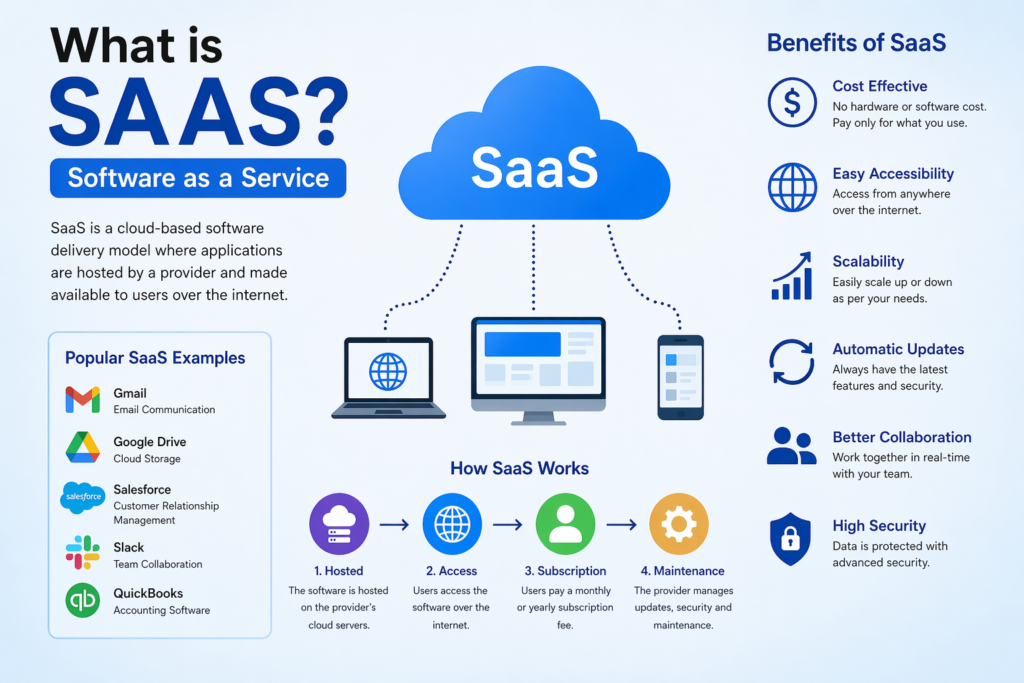
Software as a Service (SaaS) is a cloud-based software delivery model where applications are hosted by a service provider and made available to users over the internet. Instead of downloading and installing software on individual computers or servers, users can access it through a web browser.
In simple terms, SaaS allows users to “rent” software rather than buying and maintaining it.
How SaaS Works
SaaS operates on a cloud infrastructure managed by a third-party provider. Here’s how it works:
- Hosting: The software application is hosted on remote servers.
- Access via Internet: Users access the application through a web browser.
- Subscription Model: Users typically pay a monthly or yearly subscription fee.
- Automatic Updates: The provider handles updates, security, and maintenance.
This model eliminates the need for complex installations and ongoing IT management.
Key Features of SaaS
SaaS platforms come with several defining features:
- Cloud-based access (anywhere, anytime)
- Subscription pricing
- Scalability (upgrade or downgrade easily)
- Multi-tenancy (multiple users share the same infrastructure)
- Automatic updates
- High security and backups
Examples of SaaS Applications
Some of the most popular SaaS tools include:
- Email services (like Gmail)
- Cloud storage (like Google Drive, Dropbox)
- CRM tools (like Salesforce)
- Project management tools (like Trello, Asana)
- Accounting software (like QuickBooks)
These tools are widely used by businesses of all sizes.
Benefits of SaaS
1. Cost-Effective
SaaS eliminates the need for purchasing expensive hardware and software licenses. Users only pay for what they use.
2. Easy Accessibility
Since SaaS applications are cloud-based, users can access them from anywhere with an internet connection.
3. Scalability
Businesses can easily scale their usage up or down depending on their needs.
4. Automatic Updates
The service provider manages updates and security patches, ensuring users always have the latest version.
5. Collaboration
Multiple users can access and work on the same platform simultaneously, improving team collaboration.
6. Quick Deployment
Unlike traditional software, SaaS can be deployed instantly without lengthy installation processes.
| Benefit | Description |
|---|---|
| Cost Efficiency | Reduces hardware and maintenance costs |
| Flexibility | Access software from anywhere |
| Automatic Updates | No manual installations needed |
| Data Backup | Cloud providers manage backups |
| Team Collaboration | Teams can work together online |
| Scalability | Easy to add users and features |
| Faster Deployment | Quick software setup and usage |
| Better Productivity | Improves workflow efficiency |
SaaS vs Traditional Software
Below is a comparison between SaaS and traditional software:
Types of SaaS Applications
SaaS applications can be categorized based on their usage:
1. Customer Relationship Management (CRM)
Tools that help businesses manage customer interactions and data.
2. Enterprise Resource Planning (ERP)
Software that integrates core business processes like finance, HR, and supply chain.
3. Collaboration Tools
Platforms that enable team communication and project management.
4. E-commerce Platforms
Tools that help businesses create and manage online stores.
5. Content Management Systems (CMS)
Used for creating and managing digital content.
Challenges of SaaS
While SaaS offers many benefits, it also has some limitations:
1. Internet Dependency
SaaS requires a stable internet connection. Without it, access is not possible.
2. Data Security Concerns
Although providers ensure high security, storing data on external servers may raise concerns for some businesses.
3. Limited Customization
Some SaaS applications may not offer extensive customization options.
4. Subscription Costs Over Time
While initially cost-effective, long-term subscription fees can add up.
SaaS Pricing Models
SaaS providers use different pricing strategies:
- Free (Freemium Model) – Basic features for free, premium features paid
- Flat-rate Pricing – Fixed monthly or yearly cost
- Per-user Pricing – Cost based on number of users
- Usage-based Pricing – Pay based on usage
- Tiered Pricing – Different plans with varying features
SaaS Security Measures
Security is a major concern in SaaS, and providers implement several measures:
- Data encryption
- Multi-factor authentication (MFA)
- Regular backups
- Compliance with industry standards
- Firewalls and intrusion detection systems
Future of SaaS
The future of SaaS looks promising due to rapid technological advancements:
1. Integration with AI
AI-powered SaaS tools will offer automation, predictive analytics, and smarter decision-making.
2. Increased Adoption
More businesses are shifting to SaaS due to flexibility and cost savings.
3. Vertical SaaS
Industry-specific SaaS solutions (healthcare, finance, education) are growing rapidly.
4. Mobile-First SaaS
More applications are becoming mobile-friendly, allowing better accessibility
5. Enhanced Security
With increasing cyber threats, SaaS providers are investing heavily in advanced security technologies.
Why Businesses Prefer SaaS
Modern businesses prefer SaaS because it:
- Reduces IT workload
- Improves efficiency
- Enables remote work
- Offers better scalability
- Provides real-time data access
Startups especially benefit from SaaS because it allows them to operate without heavy upfront investments.
| Feature | Software as a Service (SaaS) | Traditional Software |
|---|---|---|
| Access Method | Online through browser | Installed on device |
| Updates | Automatic updates | Manual updates |
| Cost | Subscription-based | One-time purchase |
| Storage | Cloud-based | Local storage |
| Accessibility | Access from anywhere | Limited to installed device |
| Maintenance | Managed by provider | Managed by user |
| Scalability | Easy to scale | Difficult and costly |
| Collaboration | Real-time collaboration | Limited collaboration |
| Setup Time | Quick setup | Longer installation process |
Conclusion
Software as a Service (SaaS) has revolutionized the way software is delivered and used. It offers a flexible, cost-effective, and scalable solution for individuals and businesses alike. From small startups to large enterprises, SaaS is becoming the backbone of digital operations.
Despite some challenges like internet dependency and data security concerns, the advantages of SaaS far outweigh its drawbacks. With continuous advancements in cloud computing, artificial intelligence, and cybersecurity, SaaS is expected to dominate the future of the software industry.
If you are planning to build a business, start a website, or improve productivity, adopting SaaS tools can be one of the smartest decisions you make.
FAQ Questions
1. What is Software as a Service (SaaS)?
Software as a Service (SaaS) is a cloud-based software delivery model where users access applications through the internet instead of installing them on a computer.
2. How does SaaS work?
SaaS applications run on cloud servers. Users simply log in through a web browser or mobile app to use the software online.
3. What are the benefits of SaaS?
SaaS offers lower costs, automatic updates, remote access, easy scalability, and better collaboration for businesses and individuals.
4. What are some popular SaaS examples?
Popular SaaS platforms include Google Workspace, Microsoft 365, Zoom, Slack, and Salesforce.
5. Is SaaS secure?
Most SaaS providers use advanced security features like encryption, backups, and multi-factor authentication to protect user data.
6. What is the difference between SaaS and traditional software?
Traditional software requires installation and manual updates, while SaaS works online with automatic updates and cloud access.
7. Who uses SaaS applications?
Businesses, startups, students, freelancers, and enterprises use SaaS applications for communication, productivity, marketing, and project management.
8. What are SaaS pricing models?
Common SaaS pricing models include monthly subscriptions, yearly plans, freemium models, and pay-as-you-go pricing.