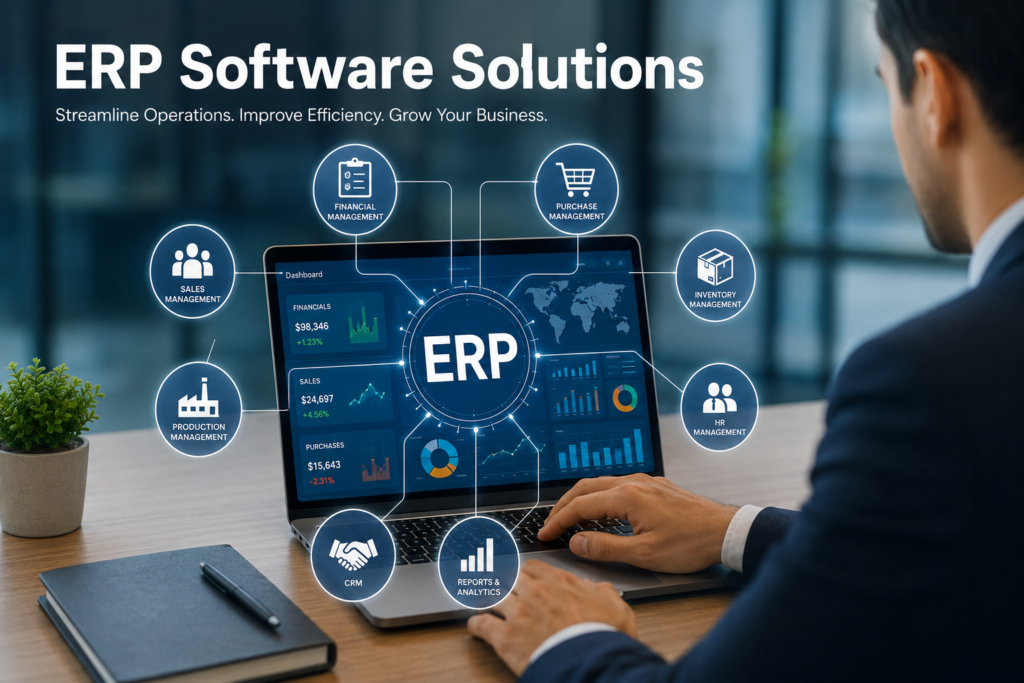
ERP Software Solutions: Complete Business Guide, Benefits, Features & Best ERP Systems 2026
Learn everything about ERP software solutions, including features, benefits, implementation process, costs, challenges, and the best ERP systems for businesses in 2026.
ERP Software Solutions: Complete Guide for Modern Businesses
Introduction
Businesses today manage multiple operations such as accounting, inventory, human resources, customer service, sales, and supply chain management. Managing all these departments separately can create confusion, duplicate work, and reduce productivity.
This is where ERP software solutions become important.
ERP stands for Enterprise Resource Planning. ERP software integrates all business processes into one centralized system, helping organizations manage operations efficiently and make better decisions.
Whether you run a small business, medium-sized company, or large enterprise, ERP software can streamline workflows, improve communication, and increase profitability.
What is ERP Software?
ERP software is a business management system that combines different business functions into a single platform.
Instead of using separate software for accounting, HR, inventory, and sales, ERP connects everything together.
Example:
A customer places an order.
The ERP system automatically:
- Updates inventory levels
- Creates an invoice
- Notifies the warehouse
- Updates financial records
- Tracks delivery status
Everything happens within one integrated system.
Why Businesses Need ERP Software
Modern businesses generate large amounts of data every day.
Without ERP:
- Departments work separately
- Data becomes inconsistent
- Reporting takes longer
- Errors increase
- Productivity decreases
With ERP:
- Data is centralized
- Processes become automated
- Reports are generated quickly
- Teams collaborate better
- Business growth becomes easier
Key Features of ERP Software Solutions
1. Financial Management
Financial modules help businesses manage:
- General ledger
- Accounts payable
- Accounts receivable
- Budgeting
- Tax management
- Financial reporting
Benefits include improved accuracy and real-time financial visibility.
2. Inventory Management
Inventory modules track:
- Stock levels
- Warehouse operations
- Purchase orders
- Product movement
- Inventory forecasting
This helps prevent overstocking and stock shortages.
3. Human Resource Management
HR modules manage:
- Employee records
- Payroll
- Recruitment
- Attendance
- Leave management
- Performance tracking
HR teams save significant time through automation.
4. Customer Relationship Management (CRM)
CRM features help businesses:
- Manage customer data
- Track leads
- Monitor sales pipelines
- Improve customer service
- Increase customer retention
5. Supply Chain Management
Supply chain modules improve:
- Procurement
- Vendor management
- Logistics
- Distribution
- Demand forecasting
This ensures smooth product delivery.
6. Project Management
Many ERP solutions include:
- Project planning
- Task assignments
- Budget tracking
- Resource allocation
- Progress monitoring
Perfect for service-based companies.
7. Business Intelligence and Analytics
ERP systems provide:
- Dashboards
- KPI tracking
- Data visualization
- Performance reports
- Forecasting tools
Managers can make informed decisions based on real-time data.
Types of ERP Software Solutions
On-Premise ERP
Installed on company servers.
Advantages
- Greater control
- Enhanced customization
- Internal data management
Disadvantages
- High upfront cost
- Requires IT infrastructure
- Maintenance responsibility
Cloud ERP
Hosted by the software provider.
Advantages
- Lower initial cost
- Faster deployment
- Remote accessibility
- Automatic updates
Disadvantages
- Monthly subscription fees
- Internet dependency
Hybrid ERP
Combines cloud and on-premise systems.
Advantages
- Flexibility
- Scalability
- Balanced control
Disadvantages
- More complex management
Benefits of ERP Software Solutions
Improved Efficiency
Automation eliminates repetitive tasks and saves employee time.
Better Decision Making
Real-time reporting provides accurate business insights.
Enhanced Collaboration
All departments access the same information.
Increased Productivity
Employees spend less time on manual processes.
Cost Reduction
Automation reduces operational expenses.
Better Customer Service
Customer information becomes easily accessible.
Regulatory Compliance
ERP systems help maintain legal and industry compliance.
Business Scalability
Businesses can expand operations without major system changes.
ERP Software Modules Overview
| Module | Purpose |
|---|---|
| Finance | Accounting and budgeting |
| HR | Employee management |
| CRM | Customer relationship management |
| Inventory | Stock management |
| Supply Chain | Procurement and logistics |
| Manufacturing | Production planning |
| Sales | Order management |
| Analytics | Reporting and insights |
Industries Using ERP Software
ERP solutions are used across many industries.
Manufacturing
- Production planning
- Inventory control
- Quality management
Retail
- Inventory tracking
- Customer management
- Sales reporting
Healthcare
- Patient records
- Billing
- Resource management
Education
- Student information
- Financial management
- Staff administration
Construction
- Project management
- Budget tracking
- Resource planning
Logistics
- Fleet management
- Shipment tracking
- Warehouse operations
Best ERP Software Solutions in 2026
| ERP Software | Best For |
|---|---|
| SAP ERP | Large enterprises |
| Oracle ERP Cloud | Global businesses |
| Microsoft Dynamics 365 | Medium to large companies |
| NetSuite ERP | Growing businesses |
| Odoo ERP | Small and medium businesses |
| Acumatica | Cloud-based operations |
| Epicor ERP | Manufacturing companies |
| Infor ERP | Industry-specific solutions |
How to Choose the Right ERP Software
Define Business Goals
Identify your organization’s biggest challenges.
Determine Budget
Calculate software, implementation, training, and maintenance costs.
Consider Scalability
Choose a system that can grow with your business.
Evaluate Features
Ensure the ERP supports your business requirements.
Check Integration Capabilities
The software should connect with existing systems.
Assess Vendor Support
Reliable customer support is essential.
Request a Demo
Always test the software before purchasing.
ERP Implementation Process
Step 1: Requirement Analysis
Understand business needs and objectives.
Step 2: Software Selection
Choose the ERP platform that fits your organization.
Step 3: Project Planning
Create implementation timelines and goals.
Step 4: Data Migration
Transfer data from old systems.
Step 5: System Configuration
Customize modules according to business processes.
Step 6: Employee Training
Train staff to use the new system effectively.
Step 7: Testing
Verify all functions before launch.
Step 8: Go Live
Deploy the ERP system.
Step 9: Continuous Improvement
Monitor performance and optimize processes.
Common ERP Implementation Challenges
High Initial Investment
ERP projects can require significant funding.
Employee Resistance
Staff may resist changes to existing processes.
Data Migration Issues
Poor data quality can create problems.
Training Requirements
Employees need proper education and support.
Customization Complexity
Too much customization increases costs and risks.
ERP Software Costs
ERP pricing depends on:
- Number of users
- Business size
- Deployment method
- Features required
- Customization level
| Business Size | Estimated ERP Cost |
|---|---|
| Small Business | $1,000–$20,000 |
| Medium Business | $20,000–$150,000 |
| Large Enterprise | $150,000+ |
Cloud ERP usually operates on monthly subscription pricing.
Future Trends in ERP Software
Artificial Intelligence
AI helps automate decision-making and forecasting.
Machine Learning
Systems continuously improve based on business data.
Mobile ERP
Employees can work from anywhere.
Internet of Things (IoT)
Connected devices provide real-time operational data.
Advanced Analytics
Businesses gain deeper insights through predictive reporting.
Robotic Process Automation
Routine tasks become fully automated.
ERP Software Best Practices
- Set clear implementation goals
- Involve key stakeholders
- Train employees thoroughly
- Keep data clean and accurate
- Monitor performance regularly
- Update systems consistently
- Focus on long-term scalability
Conclusion
ERP software solutions have become essential for businesses seeking efficiency, growth, and better decision-making. By integrating finance, HR, inventory, customer management, and operations into a single platform, ERP systems help organizations reduce costs, improve productivity, and deliver better customer experiences.
Whether you are a startup, growing company, or large enterprise, investing in the right ERP software can transform your business operations and support long-term success.
Frequently Asked Questions (FAQs)
What does ERP stand for?
ERP stands for Enterprise Resource Planning.
What is the main purpose of ERP software?
The main purpose is to integrate business processes into one centralized system.
Is ERP only for large businesses?
No. Modern ERP solutions are available for small, medium, and large businesses.
How much does ERP software cost?
Costs vary depending on business size, features, and deployment model.
What is Cloud ERP?
Cloud ERP is hosted online and accessed through the internet.
How long does ERP implementation take?
Implementation can take several weeks to several months depending on complexity.
Can ERP improve productivity?
Yes. ERP automates repetitive tasks and improves workflow efficiency.
What industries use ERP software?
Manufacturing, retail, healthcare, education, logistics, construction, and many other industries use ERP systems.
Is ERP software secure?
Most modern ERP systems include advanced security features and compliance tools.
Which ERP software is best?
The best ERP depends on business size, budget, industry, and requirements.